Connect existing email
Bring Gmail, Outlook or a compatible IMAP account. Keep your address and your provider.
Connect a mailboxWorks with the email you already use.
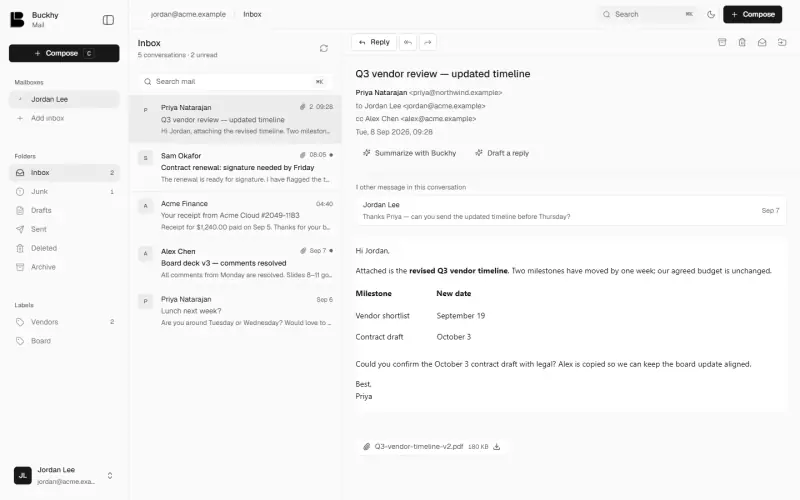
See how your accounts, context and replies come together.
The workspace · 30-second tour · Sound off
Less switching and searching. More time for the work that matters.
Bring your accounts into one inbox. Keep the addresses people know.
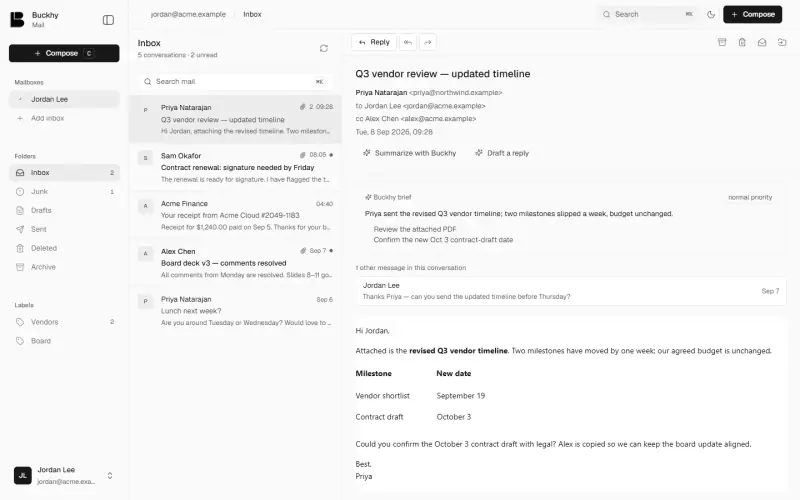
Turn a long thread into an AI brief with the details and next steps.
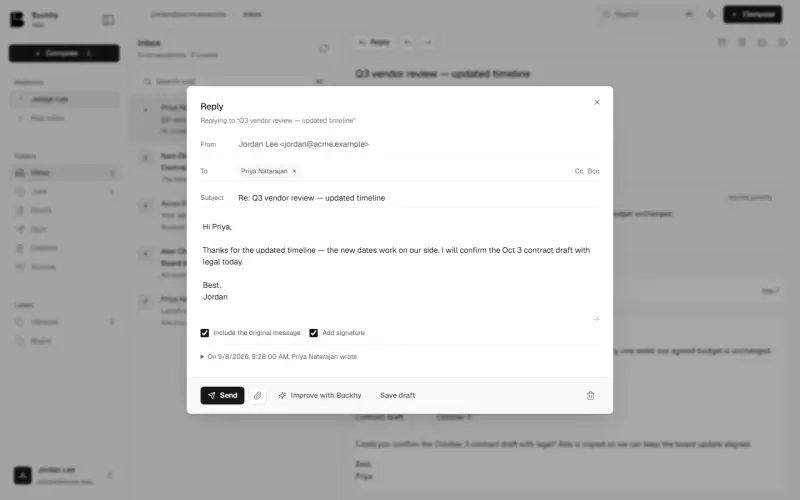
Get a suggested draft. Review, edit and send it yourself.
Start with the setup that works for your business.
Bring Gmail, Outlook or a compatible IMAP account. Keep your address and your provider.
Connect a mailboxGet guided DNS setup for your business. Review and approve before switching incoming mail.
Set up your domainSwitching incoming mail does not migrate old messages.
Clear permissions, protected credentials and a record of what happens.
Read our privacy safeguardsMailbox credentials are encrypted. Disconnect whenever you need to.
Account and mail activity records show what happened.
Sensitive actions require an extra identity check.
Shared mailboxes and administration, scoped to your workspace.
Yes. Connect Google Workspace or Gmail, Microsoft 365 or Outlook, or a compatible IMAP and SMTP account. Your existing provider continues hosting that mailbox.
The draft-review workflow does not send for you. You review, edit and send the reply. Any separate automation depends on the permissions and settings you explicitly enable.
Add your domain, verify ownership and prepare your addresses. Buckhy gives you the exact DNS records and a link to your provider. You save the changes there; Buckhy checks them. Switching incoming mail requires a separate review and identity confirmation.
No. Updating DNS routes new incoming mail to Buckhy. It does not copy historical messages from your previous provider. Keep access to that account for your existing mail.
No extension is required to use Mail or its manual domain setup guide. Use your Buckhy account for both Chat and Mail.